
























Multi-Currency and Multi-Language WooCommerce: What Breaks First
Pratyksh Sharma
October 1, 2026
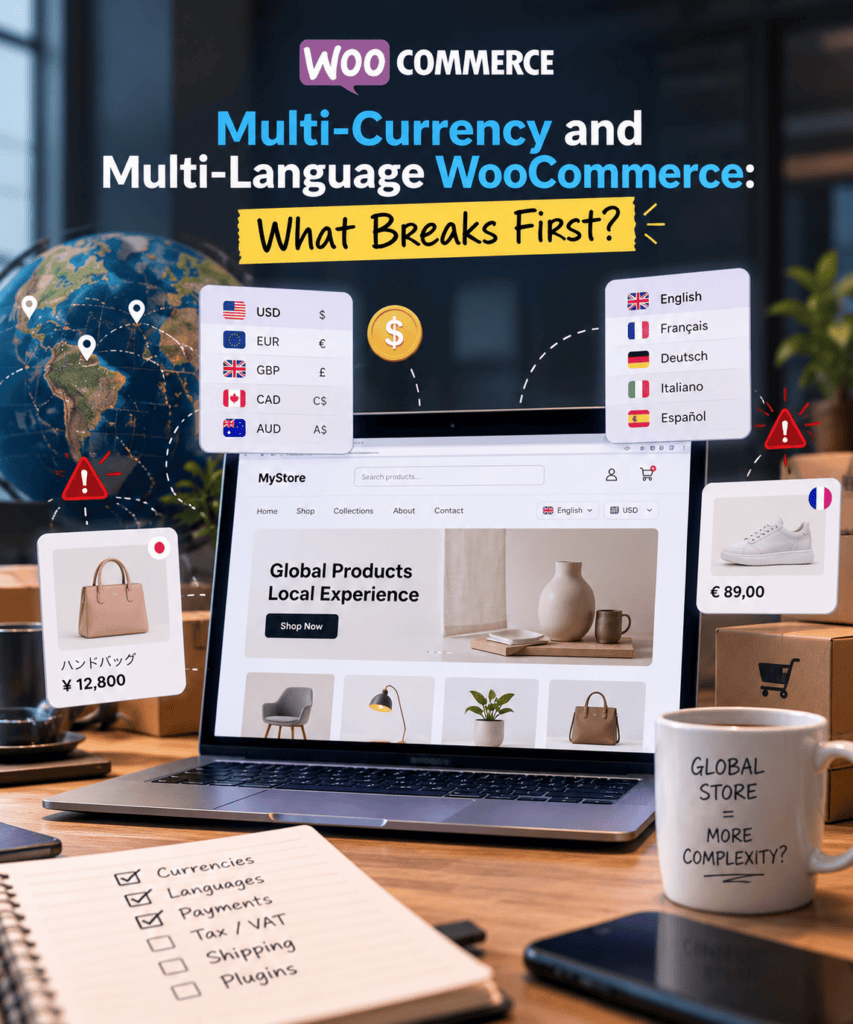
“We just need a currency switcher and a translation plugin.” That’s how most multi-currency, multi-language WooCommerce projects start. It sounds like an afternoon of plugin setup.
A few weeks later, the problems show up. Checkout totals don’t match. Order emails arrive in the wrong language. A product shows in stock in English but sold out in German. A customer pays slightly more than the price they saw.
None of this means the plugins are flawed. It happens because WooCommerce’s core assumes one currency and one language. Translation plugins, currency switchers, and geolocation tools all work around that assumption instead of replacing it.
Each plugin patches a different part of the problem. The gaps between those patches are exactly where things break.
Why This Looks Simpler Than It Is
A product page is the easy part. Most plugins show a price in three currencies and a description in three languages without much fuss.
The complexity shows up further down the funnel. Checkout, payment processing, transactional emails, tax calculation, and reporting — these are the parts a plugin’s demo video rarely covers.
That’s why so many issues slip through before launch. A store owner checks the homepage and product pages in each language and currency. Everything looks right, so they assume the rest follows.
The real breakage shows up later. A real customer, in a specific country, with a specific payment method and language setting, finally goes all the way through checkout — and something doesn’t match.
What Breaks First With Currency
The most common issue: a currency switcher often changes what customers see, not what they actually pay. Many lightweight plugins convert the displayed price using a live exchange rate. But they still process the real transaction in the store’s base currency.
That creates a mismatch. The price a customer saw doesn’t match their card statement or confirmation email. It’s a fast way to generate support tickets and chargebacks.
Payment gateway compatibility is another frequent snag. Not every gateway supports every currency. Switching the currency on your storefront doesn’t guarantee your payment processor can actually settle in it.
When it can’t, two things happen. Either checkout silently falls back to the base currency, which defeats the whole feature. Or the customer hits a processing error at the worst possible moment.
Live exchange rate conversion also produces awkward pricing. A $19.99 product might convert to $19.98 or $20.03, depending on the day’s rate. That quietly undermines the psychological pricing many businesses rely on.
Tax calculation adds another layer. If currency and tax jurisdiction don’t line up correctly, a customer in that region can end up paying the wrong VAT or sales tax rate. That’s a compliance problem, not just a customer experience one.
Reporting is the issue that surfaces last. By default, WooCommerce’s order reports and most accounting exports record totals in the store’s base currency, regardless of what currency the customer actually saw.
Without specific configuration, revenue reports stop reflecting what customers actually paid. Most businesses only discover this when someone tries to reconcile the books at month’s end.
What Breaks First With Language
Translation plugins handle visible content well — pages, posts, product descriptions. They’re far less reliable with everything WooCommerce generates dynamically: order confirmation emails, shipping notifications, checkout field labels, validation messages, payment button text.
These live outside normal page content. Unless you specifically configure a plugin to catch them, they often ship in the default language — no matter what the customer selected. It’s exactly the kind of detail a customer notices immediately, and a business owner only discovers after a complaint.
Product data duplication causes a different problem. Many multilingual setups duplicate each product once per language. In some configurations, that includes stock levels, instead of sharing one inventory record across translations.
Update stock on the English version after a sale, forget the German version exists separately, and you can oversell. Your own system keeps telling you the product’s available.
SEO is its own minefield here. Hreflang tags need correct configuration, so search engines serve the right language version to the right audience. Get this wrong, and you risk duplicate content penalties. Or you simply serve the wrong page to someone who’d have converted better on the right one.
Custom fields are another gap. ACF fields and content from third-party plugins don’t become translation-aware just because a translation plugin is active. Anything you don’t explicitly register for translation stays in whatever language someone first typed it in. It stays invisible — until someone notices a product spec sheet in the wrong language, sitting on an otherwise fully translated page.
Where Currency and Language Collide
Running both at once multiplies the combinations that can go wrong — it doesn’t just add them up. A French-speaking visitor viewing EUR prices and a German-speaking visitor viewing CHF prices each need the correct tax rate, the correct shipping zone, and correct number formatting. That’s not just about currency symbol placement. It’s about real formatting conventions — whether a comma or a period separates decimals, for instance.
Caching adds a layer most teams overlook, until it causes a real problem. WooCommerce stores commonly run full-page caching for performance. If that caching doesn’t vary by currency, language, and sometimes country, the system can show a page meant for one visitor’s currency to a completely different visitor. That visitor might briefly see the wrong price. In worse cases, they check out at it.
Geolocation-based currency switching introduces its own unpredictability. IP-based location detection isn’t always accurate. Anyone using a VPN, or connecting from an unusual network, can land on the wrong default currency — with no obvious reason why, from their side.
A Practical Order of Operations
Rather than installing plugins and hoping they cooperate, work through this in a deliberate sequence:
- Settle your base currency and primary language first. This becomes the source of truth everything else builds around, including how reporting and accounting reconcile later.
- Choose plugins tested together, not just popular individually. A currency switcher that lists compatibility with your translation plugin and your actual payment gateways is a safer bet than hoping two well-reviewed plugins cooperate.
- Test the entire checkout flow, not just browsing. Place real test orders in every currency and language combination you support. Most failure points live at checkout, payment, and confirmation, not on the product page.
- Configure cache variations correctly, or exclude cart and checkout pages from full-page caching if you can’t verify the variation logic works.
- Check system emails in every language you support. Order confirmations, shipping notices, password resets — these are the piece most teams miss.
- Audit your SEO setup for correct hreflang and canonical tags across language versions.
- Decide upfront how you’ll record multi-currency orders for accounting. Confirm your reports actually reflect what customers paid, rather than discovering a reconciliation gap months later.
- When Custom Development Is Worth It
Some stores have genuinely serious multi-market needs: real volume in several countries, different tax obligations per region, specific payment gateway requirements by country. For these, stacking three or four general-purpose plugins can turn into a fragile, high-maintenance setup. Every plugin update risks breaking the cooperation between the others.
In those cases, targeted custom development is often the better call. Sometimes that means building on WooCommerce’s own native multi-currency capabilities, instead of layering a third-party plugin on top. It’s usually more stable, and easier to maintain long-term, than continuing to patch a generic combination nobody built for your specific market mix.
Getting This Right the First Time
Multi-currency and multi-language WooCommerce stores are absolutely achievable. Plenty of businesses run them successfully. The difference between a smooth rollout and months of confusing customer complaints usually comes down to one thing: did someone test the full path — checkout, payment, emails, caching, reporting — before launch? Or did they just confirm the storefront looked right in each language?
At Infyras, years of hands-on WooCommerce work surface these issues early. These are the specific points we test before a multi-market store goes live, not the points a customer discovers for us after paying the wrong amount.
Let’s build your next project
Tell us about your idea and we'll get back within 24 hours.


Hi, I’m Pratyksh Sharma, the CEO and Founder of Infyras. Don’t hesitate to reach out to me anytime – I’m here to answer all your questions!
Your next idea Let’s make it happen.
From insights to inspiration, we create digital solutions that turn ideas into results. Have a project in mind? Let’s build something that moves your business forward.