























Why are WordPress Sites Get Hacked and How to Prevent it?
Pratyksh Sharma
December 18, 2025
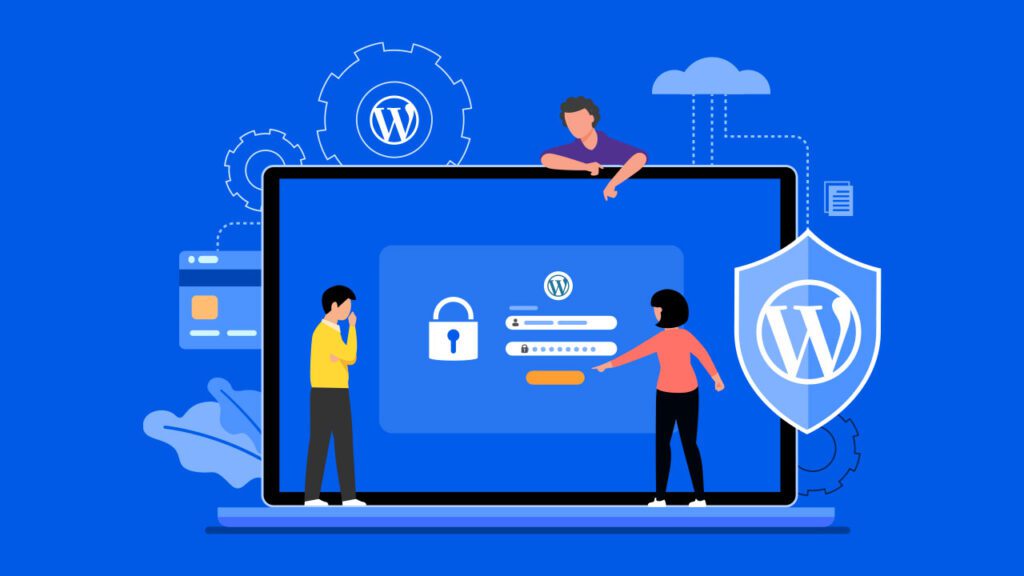
WordPress powers over 40% of the internet, which also makes it one of the most targeted platforms online. This often leads people to believe that WordPress itself is insecure. In reality, that’s not the full story.
Many website owners assume hacking only happens to large corporations or high-traffic websites. Unfortunately, that assumption is what makes smaller WordPress sites easy targets. Small and medium-sized websites are hacked every day, often without the owner even realizing it.
Most hacks are not personal.
They are automated.
Bots continuously scan the internet looking for vulnerable WordPress websites. If your site shows even a small weakness, it can be compromised in minutes.
Understanding why WordPress websites get hacked is the first and most important step toward preventing it.
WordPress Itself Is Not the Problem
A common myth is that WordPress is insecure by default.
In reality:
-
WordPress core is regularly audited by security experts
-
Security patches are released quickly when issues are found
-
Vulnerabilities are publicly documented and fixed
-
Millions of developers actively contribute to improving its security
WordPress is actually very secure when it’s properly maintained.
The real issue isn’t WordPress—it’s what happens after installation.
Outdated Plugins and Themes Are the Biggest Risk
One of the leading causes of WordPress hacks is outdated software.
Plugins and themes are powerful, but they also add more code—and more code means more potential entry points.
When plugins or themes are not updated:
-
Known vulnerabilities remain open
-
Hackers exploit publicly documented flaws
-
Automated bots scan for specific plugin versions
-
Security patches are never applied
Even a single outdated plugin can compromise the entire website.
Attackers don’t need to guess. They already know where the weaknesses are—and they actively look for them.
Poor Login Security Makes Attacks Easy
Your login page is one of the most attacked areas of any WordPress website.
Weak login practices leave the front door wide open.
Common issues include:
-
Weak or reused passwords
-
Using “admin” as a username
-
No limit on login attempts
-
No two-factor authentication
-
No protection against brute-force attacks
Hackers use automated tools that can attempt thousands of login combinations per minute. Without basic protection, it’s only a matter of time before they succeed.
Cheap or Poor-Quality Hosting Can Increase Risk
Your hosting environment plays a huge role in website security.
Not all hosting providers prioritize security.
Low-quality hosting may lack:
-
Server-level firewalls
-
Malware scanning and cleanup
-
Account isolation on shared servers
-
Regular server updates and patching
-
Proper file permissions
If one website on a shared server is hacked, others on the same server can be affected as well—especially on overcrowded, poorly managed hosting platforms.
Pirated Themes and Plugins Are a Hidden Danger
Using nulled or cracked plugins may seem like a way to save money—but it’s one of the fastest ways to get hacked.
These files often contain:
-
Backdoors that allow hackers remote access
-
Hidden malware that spreads over time
-
Spam injection scripts
-
Unauthorized admin accounts
-
Code designed to reinfect your site even after cleanup
Even if your website looks normal, malicious code may be running silently in the background—stealing data, damaging SEO, or infecting visitors.
Lack of Regular Backups Makes Recovery Harder
Many website owners only think about backups after something goes wrong.
Without reliable backups:
-
Recovery becomes more expensive
-
Important data may be permanently lost
-
Downtime increases significantly
-
SEO rankings and traffic can suffer
-
Business operations may be disrupted
Backups won’t prevent a hack—but they can turn a disaster into a manageable inconvenience.
Malware Can Stay Hidden for Months
Not all hacks are obvious.
Some of the most damaging attacks are designed to stay hidden.
Hidden malware can:
-
Redirect visitors to spam or phishing websites
-
Inject malicious links into your content
-
Send spam emails from your server
-
Steal customer or user data
-
Damage your website’s reputation
In many cases, search engines blacklist hacked websites before the owner even realizes there’s a problem.
Why “Set It and Forget It” Is Dangerous
WordPress is not a static platform.
It constantly evolves due to:
-
Core updates
-
Plugin updates
-
Theme updates
-
Server and PHP version changes
Ignoring maintenance creates small security gaps—and over time, those gaps become serious vulnerabilities.
A website that isn’t maintained is eventually an easy target.
How to Prevent WordPress Websites From Getting Hacked
Prevention is far easier—and far cheaper—than cleanup.
Essential security practices include:
-
Keeping WordPress core, plugins, and themes updated
-
Using strong, unique passwords
-
Avoiding default usernames
-
Enabling two-factor authentication
-
Installing a reputable security plugin
-
Using a firewall and malware scanner
-
Choosing secure, reliable hosting
-
Removing unused or abandoned plugins and themes
-
Scheduling regular automated backups
Security works best in layers. No single tool is enough on its own.
Regular Maintenance Is Your Best Defense
Websites that receive consistent maintenance experience fewer hacks and fewer emergencies.
Ongoing maintenance includes:
-
Security monitoring
-
Vulnerability scanning
-
Safe update testing
-
Backup verification
-
Performance and uptime checks
Proactive protection always costs less than emergency recovery.
What Happens After a Hack
When a WordPress website is hacked, the damage goes beyond broken pages.
Consequences often include:
-
Loss of customer trust
-
SEO penalties or Google blacklisting
-
Website downtime and lost revenue
-
Costly cleanup and recovery services
-
Long-term brand damage
Many businesses underestimate how difficult it is to fully recover from a security breach.
Final Thoughts
WordPress websites don’t get hacked because WordPress is weak.
They get hacked because they’re neglected.
Security is not a one-time setup—it’s an ongoing process.
With proper updates, strong security practices, and regular maintenance, WordPress can be one of the most secure website platforms available.
👉 Let’s protect your WordPress website before hackers find it.
Contact today for professional WordPress security, maintenance, and ongoing support—so your site stays safe, fast, and trustworthy.
Let’s build your next project
Tell us about your idea and we'll get back within 24 hours.


Hi, I’m Pratyksh Sharma, the CEO and Founder of Infyras. Don’t hesitate to reach out to me anytime – I’m here to answer all your questions!
Your next idea. — Let’s make it happen.
From insights to inspiration, we create digital solutions that turn ideas into results. Have a project in mind? Let’s build something that moves your business forward.