



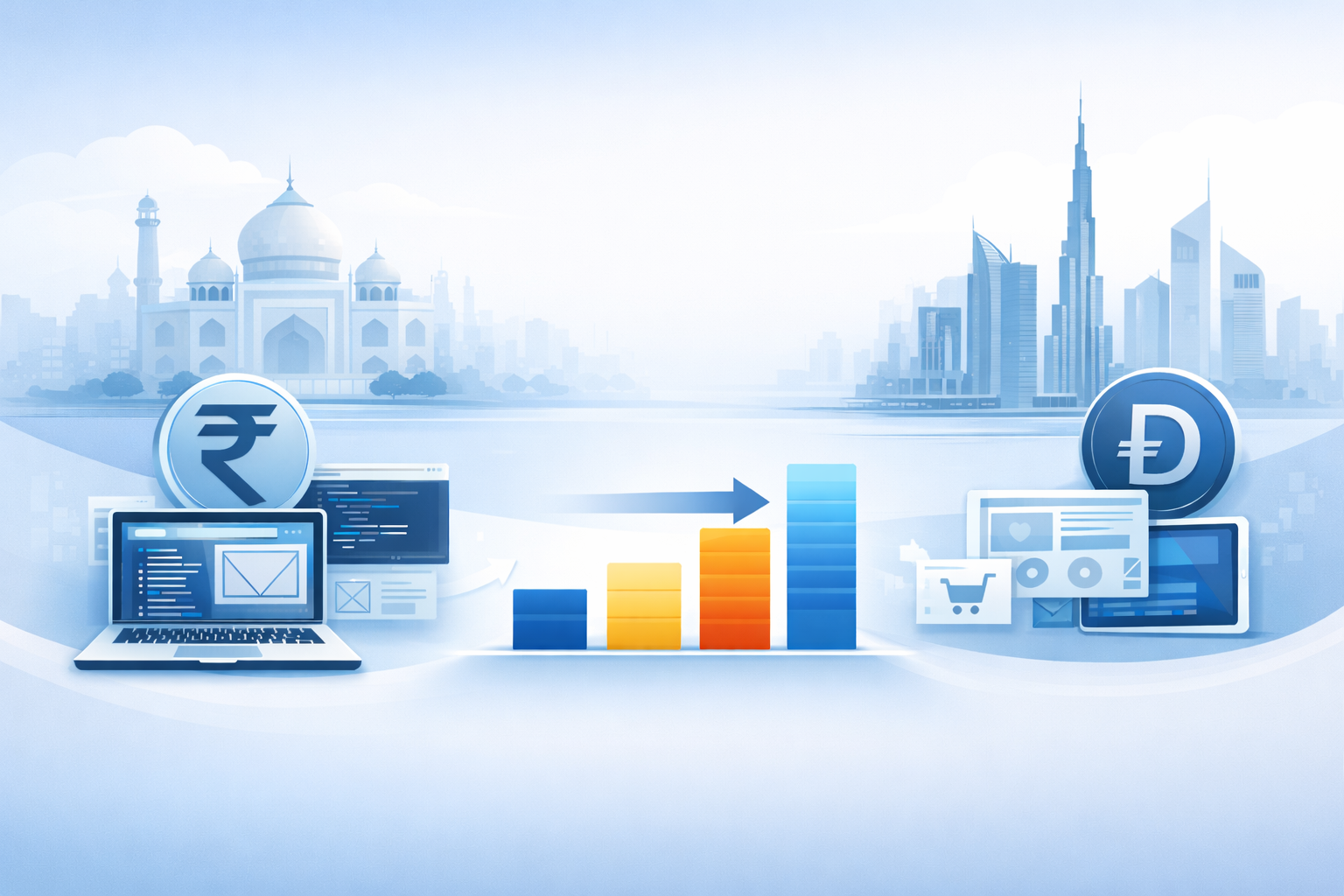
Website Development Cost Comparison India Vs UAE | INFYRAS

Website Development Cost in India & UAE in 2026: What You’ll Actually Pay

If you’ve been searching for web development quotes and getting wildly different numbers — from ₹15,000 to ₹5,00,000 — you’re not alone. Website costs vary enormously based on what you need, who builds it, and where they’re based. This guide gives you an honest breakdown of real web development costs in India and the UAE for 2026, so you can budget properly and avoid being overcharged. Website Cost in India (2026) Type What’s Included Price Range (INR) Price Range (USD) Basic website (freelancer) 3–5 pages, template design ₹8,000 – ₹25,000 $100 – $300 Business website (small agency) 5–10 pages, custom design ₹35,000 – ₹1,20,000 $400 – $1,500 E-commerce store (WooCommerce) Up to 100 products, payment gateway ₹80,000 – ₹3,00,000 $1,000 – $3,500 Shopify store Full setup, custom theme ₹70,000 – ₹2,50,000 $850 – $3,000 Custom web application Custom logic, database, user accounts ₹4,00,000 – ₹20,00,000+ $5,000 – $25,000+ Website Cost in UAE / Dubai (2026) Type Price Range (AED) Price Range (USD) Small business website AED 3,500 – AED 12,000 $950 – $3,200 Corporate website AED 8,000 – AED 35,000 $2,200 – $9,500 E-commerce store AED 12,000 – AED 55,000 $3,200 – $15,000 Custom web application AED 40,000 – AED 200,000+ $11,000 – $55,000+ Note: Local Dubai agencies typically charge a 30–50% location premium. Working with an international agency like INFYRAS delivers the same quality at significantly lower cost. Why Are Prices So Different Between Agencies? The biggest factor isn’t quality — it’s overhead. A Dubai agency with an office on Sheikh Zayed Road charges for that office in every project. A freelancer in Mumbai charges less but may have limited capacity and experience. INFYRAS sits in the sweet spot: agency-quality processes and multi-platform expertise, without the overhead cost passed on to you. Get a Transparent, No-Obligation Quote Tell us what you need. We’ll respond within 24 hours with a clear breakdown — no vague estimates, no surprise fees. Get My Free Quote | Relevant post

Read More
If Your Website Had to Explain Your Business in 5 Seconds, Could It? | INFYRAS

If Your Website Had to Explain Your Business in 5 Seconds, Could It?

If Your Website Had to Explain Your Business in 5 Seconds, Could It? Most visitors don’t read websites.They scan. They land on a page, glance at the headline, look at the layout, and make a decision — all within a few seconds. Stay… or leave. If your website can’t clearly explain what your business does almost instantly, visitors won’t wait around to figure it out. They move on. This is one of the most common — and costly — problems business websites face today. A website that can’t communicate its purpose quickly isn’t just unclear.It’s losing potential customers before the conversation even starts. First Impressions Are Formed Almost Instantly Users don’t arrive with patience. Within seconds, they subconsciously judge: Do I understand what this business does? Is this relevant to me? Does this feel trustworthy? Is it worth my time to keep scrolling? If the answer isn’t immediately clear, users exit. Websites don’t lose visitors because of missing features.They lose them because of missing clarity. Clever Headlines Often Create Confusion Many websites try to sound impressive instead of being understandable. Common mistakes include: Buzzword-heavy headlines Vague taglines that say nothing Abstract phrases only insiders understand Marketing language without meaning If a visitor has to interpret your headline, you’ve already lost the 5-second test. Clarity always beats creativity at the first touchpoint. Visitors Ask Simple Questions First Before caring about features, pricing, or case studies, visitors want answers to very basic questions: What do you do? Who is this for? What problem do you solve? What should I do next? If your website doesn’t answer these immediately, users don’t explore deeper pages. They don’t scroll. They don’t click. They leave. Visual Noise Slows Understanding Even strong messaging can fail if it’s buried under clutter. Common clarity killers: Too many sections above the fold Competing headlines Multiple CTAs fighting for attention Heavy animations and sliders Overdesigned layouts When everything is emphasized, nothing is. Effective websites guide the eye and simplify the message. The Homepage Isn’t for Telling Everything Many businesses try to explain their entire offering at once. This leads to: Overloaded content Long, unfocused introductions Multiple messages with no hierarchy The goal of the homepage isn’t to explain everything.It’s to explain enough to earn the next click. Clear → Relevant → Actionable. Mobile Users Feel Confusion Faster On mobile, clarity matters even more. Limited screen space means: Headlines must be sharper Messaging must be shorter Value must be immediate If your message isn’t clear on mobile in seconds, users won’t zoom, scroll, or search. They exit. Strong Websites Pass the “5-Second Test” High-performing websites are built to communicate instantly. They: Use plain, human language Lead with a clear value proposition Support claims with simple visuals Remove distractions Guide users toward a clear next step They don’t assume visitors will figure things out.They make understanding effortless. You Can Test This Yourself A simple test: Show your homepage to someone unfamiliar with your business for 5 seconds. Then ask: What does this company do? Who is it for? What problem does it solve? If they struggle to answer, your website is failing silently. Final Thoughts If your website can’t explain your business in 5 seconds, visitors won’t give it more time. Clarity isn’t about dumbing things down.It’s about respecting attention. The most effective websites don’t overwhelm users.They orient them — quickly and confidently. 👉 If you’re not sure whether your website passes the 5-second test, let’s review it together and simplify the message so visitors understand your value instantly — and take action. Is your website communicating your value clearly? Check our portfolio or talk to our team. Related reading: Why Your Website Needs Clear CTAs to Drive Conversions | Why a Website With Traffic but No Leads Is a Silent Failure

Read More
Why Most Business Websites Fail Before a Visitor Clicks “Contact Us” | INFYRAS

Why Most Business Websites Fail Before a Visitor Clicks “Contact Us”

Why Most Business Websites Fail Before a Visitor Clicks “Contact Us” Many business websites never get the chance to convert visitors — not because the service is bad, or the offer is weak, but because users leave long before they ever consider making contact. Pages load. Content displays. Traffic arrives.Yet visitors disappear without taking the next step. This is one of the most common — and overlooked — reasons business websites fail. A website that loses users before they reach the contact stage isn’t just underperforming.It’s silently blocking growth. If visitors don’t reach the point of action, the business opportunity never even begins. Most Visitors Decide Within Seconds Users form opinions fast. Within a few seconds, they decide whether to stay or leave based on: Clarity of the message Visual hierarchy Load speed Perceived trust Ease of navigation If the value isn’t immediately clear, visitors don’t explore further — they exit. Websites don’t fail at the contact form. They fail before users ever get there. Confusion Is the #1 Conversion Killer When visitors land on a website, they’re subconsciously asking: What does this business do? Is this for me? Why should I trust them? What should I do next? If the website doesn’t answer these quickly, users leave. Common causes of confusion include: Vague headlines Overloaded homepages Unclear services Multiple competing messages No defined user path Confused visitors don’t click. They bounce. Navigation Friction Stops Momentum Every extra decision a user has to make increases drop-off. Poor navigation creates friction such as: Too many menu items Unclear page labels Important pages buried too deep Inconsistent layouts When users struggle to find information, they don’t keep searching. They leave. Effective websites reduce effort — not increase it. Trust Isn’t Established Early Enough Visitors won’t contact a business they don’t trust. Many websites delay trust-building until too late — or ignore it entirely. Missing or weak trust signals include: No testimonials or reviews Lack of social proof No clear company information Outdated design Inconsistent branding If trust isn’t built early, users won’t progress far enough to convert. Weak Calls-to-Action End the Journey Visitors won’t magically know what to do next. When calls-to-action are: Hidden Too generic Poorly placed Competing with each other Users stall. Without clear direction, the journey ends prematurely — long before “Contact Us” is clicked. Mobile Users Are Lost First Most visitors arrive on mobile devices, yet many business websites still treat mobile as an afterthought. Early mobile drop-off is caused by: Hard-to-read text Cluttered layouts Buttons too small to tap Forms not optimized for touch Slow mobile performance If the mobile experience frustrates users, they never reach deeper pages. Speed Issues Kill Interest Immediately Slow websites don’t fail gradually. They fail instantly. Even minor delays cause: Immediate exits Lower engagement Reduced trust Shorter session durations Users don’t wait for slow pages to load — especially at the beginning of their visit. If speed fails early, conversions never have a chance. Design Without Strategy Leads Nowhere A website can look modern and still fail completely. Design that focuses on appearance rather than behavior results in: No clear user flow Disconnected pages Visual distractions Poor conversion paths Successful websites are designed around how users move — not just how pages look. Analytics Reveal Where Users Give Up Most businesses don’t realize how early users are leaving. Analytics can show: Entry pages with high bounce rates Pages users never scroll through Navigation drop-off points Mobile vs desktop behavior Without data, early-stage failures go unnoticed — and unfixed. Websites That Convert Guide, Not Hope High-performing business websites don’t rely on chance. They are intentionally built to: Capture attention immediately Build trust early Reduce friction Guide users step-by-step Lead naturally toward contact They don’t wait for users to figure things out. They lead them. Final Thoughts Most business websites don’t fail at the contact form.They fail long before a visitor ever considers clicking it. When clarity, trust, speed, and user flow are missing, visitors leave quietly — taking potential revenue with them. The most effective websites don’t just look good. They guide users intentionally from first impression to first action. 👉 Let’s review your website, identify where visitors drop off, and rebuild the journey so more users actually reach “Contact Us.” Contact today for professional website optimization focused on real business results. Do not let your website be the reason visitors do not reach out. View our client projects or contact INFYRAS today. Related reading: If Your Website Had to Explain Your Business in 5 Seconds | Why Your Business Needs a Strong Portfolio Website

Read More
Why a Website That Gets Traffic but No Leads Is a Silent Business Failure | INFYRAS

Why a Website That Gets Traffic but No Leads Is a Silent Business Failure

Why a Website That Gets Traffic but No Leads Is a Silent Business Failure Many businesses proudly track website traffic. Visitors are coming in, pages are being viewed, and numbers look healthy on the surface. Yet inquiries remain low, forms stay empty, and sales don’t increase. This is one of the most common — and dangerous — website problems. A website that attracts visitors but fails to convert them is not underperforming. It’s quietly wasting opportunity. Traffic without conversions is not growth. It’s leakage. Traffic Does Not Equal Business Results Visitors alone don’t pay bills. Action does. A successful website is designed to guide users toward: Contact forms Calls or bookings Purchases Sign-ups Enquiries If users browse and leave without taking action, the website is failing its core purpose. Conversion Problems Are Usually Invisible Most conversion issues don’t show up as obvious errors. Common hidden problems include: Confusing page structure Weak or unclear call-to-actions Poor mobile experience Slow-loading pages Forms that technically work but feel unreliable Users don’t report these issues. They simply leave. Forms Are the Weakest Link on Most Websites Contact forms are often the most fragile part of a website. Typical form-related issues include: Forms not submitting consistently Emails landing in spam Missing validation messages Broken integrations Poor mobile usability When a form fails even occasionally, trust is lost — and the lead is gone forever. User Journey Gaps Kill Conversions Visitors don’t arrive ready to contact you. They need guidance. Low-conversion websites often suffer from: No clear next step Too many distractions Information overload Missing trust signals Poor page flow A strong website leads users step-by-step instead of forcing them to figure things out. Speed and UX Directly Affect Conversions Even a one-second delay can reduce conversions significantly. Slow websites cause: Higher bounce rates Abandoned forms Lower engagement Reduced trust Performance optimization isn’t just technical — it’s a conversion strategy. Mobile Conversion Issues Are Often Ignored Most traffic today comes from mobile devices, but many websites are still optimized only visually — not functionally. Common mobile conversion problems include: Hard-to-tap buttons Forms that are difficult to fill Layout shifts Slow mobile load times If your mobile users can’t convert easily, you’re losing the majority of your audience. Analytics Show What Design Can’t Conversion problems are rarely solved by guesswork. Analytics help identify: Where users drop off Which pages fail to convert How users interact with forms Device-based performance issues Data reveals friction that design alone cannot. Conversion Optimization Is Ongoing, Not One-Time Even well-performing websites need continuous refinement. Conversion-focused maintenance includes: Form testing UX improvements Performance tuning Funnel optimization Regular analytics reviews Small improvements compound into significant growth over time. Why Many Websites Never Fix Conversion Issues Conversion optimization is often delayed because: Traffic numbers look “good enough” Issues aren’t visible Focus stays on design instead of behavior No monitoring or testing process exists But ignoring conversion problems means leaving revenue on the table every single day. High-Converting Websites Are Built Intentionally Websites that generate consistent leads are not accidental. They are: Structured for clarity Optimized for speed Designed around user behavior Tested regularly Maintained professionally Conversion-focused websites turn visitors into customers — predictably. Final Thoughts A website that looks good and gets traffic can still fail as a business tool. Conversions don’t happen by chance — they happen by design, testing, and ongoing optimization. The best-performing websites don’t chase traffic. They maximize the value of every visitor. 👉 Let’s analyze your website, identify conversion gaps, and optimize it to turn traffic into real leads and revenue. Contact today for professional website conversion optimization and performance improvement. A website should generate leads, not just traffic. Explore our conversion-focused web development or get a free website review. Related reading: Why Traffic Is the Most Overrated Website Metric | Why Your Website Needs Clear CTAs to Drive Conversions

Read More
Authorization And Authentication 0e0a962e49 | INFYRAS

Why Ignoring Website Logs Can Cost You Performance, Security, and Business Growth?

Why Ignoring Website Logs Can Cost You Performance, Security, and Business Growth When managing a website, most businesses focus on design, content, plugins, and marketing. But one critical area is often overlooked: website logs. Server logs, error logs, and application logs quietly record everything happening behind the scenes. Ignoring them means missing early warning signs of performance issues, security threats, and technical failures. Website logs are not just technical data — they are a diagnostic system for your entire digital presence. Logs don’t just show problems.They help prevent them before users are affected. What Website Logs Actually Track Website logs record detailed information about how your website behaves in real time. This includes: Server requests and responses Error messages and warnings Database query failures Plugin and theme conflicts Login attempts and access patterns Every visit, error, and request leaves a footprint. Logs capture that footprint. Logs Reveal Problems Before Users Notice Them Many website issues don’t fail instantly. They degrade slowly. Common examples include: Forms occasionally failing Pages loading slower over time Random errors appearing only on specific pages Features breaking after updates Logs expose these issues early. Without log monitoring, problems are usually discovered only after customers complain or conversions drop. Website Performance Issues Always Leave Traces Slow websites don’t happen randomly. Performance bottlenecks almost always show up in logs first. Logs often reveal: Slow server response times Repeated timeout errors Excessive database queries Memory or CPU spikes API request failures Instead of guessing what’s slowing down your website, logs provide clear evidence. Security Threats Appear in Logs Before Damage Happens Most website attacks don’t start with visible damage. Before a site is compromised, logs often show: Repeated failed login attempts Requests from suspicious IP addresses Access attempts to restricted files Unusual traffic spikes Unauthorized API calls Without reviewing logs, these warning signs are completely missed. By the time a hack is visible, the damage is already done. Plugin and Update Issues Are Easier to Diagnose With Logs Plugin updates are a common source of website problems. Logs make it easier to identify: Which plugin caused the error The exact time the issue started Whether the error repeats If the issue affects performance or security This eliminates hours of trial-and-error debugging and reduces downtime. Logs Improve Long-Term Website Stability Websites that are monitored consistently are more stable and predictable. Log monitoring supports: Faster issue resolution Proactive maintenance Better uptime Cleaner updates Reduced emergency fixes Stable websites perform better in SEO, user experience, and conversions. Why Most Websites Ignore Logs Logs are often ignored because they seem: Too technical Overwhelming Difficult to interpret But modern tools allow logs to be filtered, automated, and monitored with alerts. You don’t need to read everything — only the critical signals. Logs Are a Core Part of Professional Website Management Professional web management goes far beyond design and updates. It includes: Error tracking Performance monitoring Security monitoring Log reviews and alerts Preventive maintenance Logs transform website management from reactive firefighting into proactive control. SEO, Reliability, and Logs Are Connected Search engines favor websites that are: Fast Stable Secure Error-free Unresolved errors, performance issues, and downtime directly affect SEO rankings. Logs help identify and fix these issues before they impact visibility. Final Thoughts Website logs are not optional in modern web development. They are essential for performance optimization, security protection, and long-term reliability. Ignoring them means reacting late instead of acting early. The healthiest websites are not the ones that never fail —they’re the ones that detect issues before users ever notice. 👉Let’s set up proper website monitoring, log analysis, and maintenance so issues are detected and resolved before they affect performance, security, or revenue. Contact today for professional website monitoring and maintenance services. Do not let website issues go undetected. Learn about our web development services or talk to us today. Related reading: Why Clean Code Is the Secret to High-Performance Websites | React/Next.js Supply-Chain Attack: Lessons and Risks

Read More
Best CMS Platforms For Your Business In 2026 | INFYRAS

Choosing the Right CMS in 2026

Choosing the Right CMS in 2026: A Strategic Guide for Modern Businesses Selecting the right Content Management System (CMS) in 2026 is no longer a simple technical choice. It directly impacts website performance, scalability, security, content workflows, SEO, and long-term business growth. With traditional CMS platforms, headless systems, and no-code tools all competing for attention, making the right decision requires strategy—not assumptions. A CMS should support your business today while remaining flexible for tomorrow. Start With Clear Business Objectives Every CMS is designed with different use cases in mind. Before comparing platforms, clearly define what your website needs to achieve. Consider factors such as: Content publishing and blogging Lead generation and marketing eCommerce growth Multilingual or multi-site requirements Enterprise-level scalability A CMS that works well for a small marketing site may not support long-term expansion. Assess Content Structure and Workflow Needs Modern content teams expect speed, flexibility, and control. Key questions include: How frequently will content be updated? Who manages content internally? Are approval workflows required? Does your content need structured fields or dynamic reuse? Simple websites benefit from lightweight CMS platforms, while complex content ecosystems demand more advanced solutions. Choose Between Traditional, Headless, or No-Code CMS CMS platforms in 2026 generally fall into three categories. Traditional CMS platforms focus on ease of use and rapid development.Headless CMS solutions separate content from presentation, enabling high performance and multi-channel delivery.No-code and low-code CMS platforms prioritize speed and simplicity with minimal development effort. The right choice depends on performance requirements, technical resources, and future integrations. Prioritize Website Performance and Speed Performance is no longer optional. It affects search rankings, user trust, and conversion rates. Your CMS should support: Fast rendering and optimized builds Strong Core Web Vitals scores Caching and CDN integration Lightweight frontend delivery A slow CMS creates limitations no design can fix. Evaluate Security and Maintenance Requirements CMS platforms are frequent targets for cyber attacks. A reliable CMS should provide: Regular security updates Role-based access control Secure authentication options Automated backups and recovery Lower maintenance overhead reduces long-term risk and operational cost. Plan for Scalability and Long-Term Flexibility A CMS should grow alongside your business. Look for features such as: Modular architecture API access and integrations Support for third-party tools Adaptability for new technologies Migrating CMS platforms later is expensive and disruptive—planning ahead is essential. Ensure Built-In SEO Capabilities Search visibility depends heavily on CMS architecture. A modern CMS must allow: Clean URL structures Full meta control Schema and structured data Fast indexing and crawlability Technical SEO best practices SEO should be native, not an afterthought. Balance Editor Experience With Developer Control The best CMS empowers both teams. Content editors need intuitive interfaces.Developers need flexibility, clean code, and performance control. A balanced CMS enables faster publishing without sacrificing technical quality. Final Thoughts Choosing the right CMS in 2026 is a strategic investment, not a feature comparison. The ideal CMS aligns with your business goals, supports your content strategy, scales with growth, and delivers consistent performance. A strong CMS becomes the foundation of your entire digital ecosystem. 👉Let’s evaluate your goals, content requirements, and technical needs to select the CMS that will support your business for years to come. Contact today for a CMS strategy consultation. Not sure which CMS is right for you? Explore our web development services or talk to an expert today. Related reading: Webflow vs WordPress: Which Should You Choose? | Shopify vs BigCommerce: Which Platform to Choose?

Read More
Webflow Vs Wordpress | INFYRAS

Webflow vs WordPress

Webflow vs WordPress: Which Is Better for Your Website? Choosing between Webflow and WordPress isn’t just a platform decision — it impacts your design workflow, long-term scalability, performance, and ongoing maintenance. One prioritizes visual precision and motion-driven experiences, while the other delivers complete backend customization and integration freedom. This guide breaks down the platforms clearly so you can choose with confidence. Before you choose: Clarify your website priorities A platform choice without clarity leads to rework, cost escalations, and slow launch timelines. Start by identifying: Do you need custom backend logic or just strong visual design? Will the site scale with content, categories, memberships, or courses? Do you want a managed platform or full server/plugin access? Do designers or developers handle updates? How often will content edits and new features roll in? Do animations and visual identity matter more than deep integrations? Your answer decides whether you need design freedom (Webflow) or full control (WordPress). 1. When Webflow wins: Front-end experience and visual precision Webflow is built for modern, interaction-heavy, brand-driven websites. What makes it strong: Pixel-perfect layouts without plugins Advanced motion design and animations natively supported Fast hosting + global CDN without configuration Clean HTML/CSS output without theme bloat No plugin dependency for core features Ideal use cases: Brand experiences Creative portfolios SaaS landing pages Premium agency sites Visual storytelling websites What to note: Not built for large, complex stores or dashboards Pricing increases per feature tier Designers need initial learning time Webflow is experience-first — perfect when visuals define your brand. 2. When WordPress wins: Full control and scalable functionality WordPress powers 40%+ of the internet because it can become almost anything. What makes it strong: Unlimited customization and backend logic Mass integrations, APIs, and automation support WooCommerce for full eCommerce control Multisite, membership platforms, courses, directories Access to server, files, and database for deep editing Ideal use cases: eCommerce at scale Membership/LMS platforms Media networks and blogs Multi-vendor systems Corporate and global business sites What to note: Requires performance optimization and security setup Plugin management and updates are ongoing tasks Themes can slow performance if not selected properly WordPress is architecture and scale — ideal when growth needs more than visuals. 3. Side-by-side decision mapping Requirement Choose Webflow Choose WordPress Motion UI & visual storytelling ✓ — Full backend custom logic — ✓ No maintenance burden ✓ — High-performance blog or news site — ✓ Fast launch, no plugins ✓ — eCommerce flexibility — ✓ Advanced integrations — ✓ Design control without code ✓ — This isn’t better vs worse — it’s experience vs expansion. 4. Performance & SEO: Where each stands Webflow: Fast by default Optimized hosting and native CDN No theme/plugin bloat SEO controls built in WordPress: Performance depends on hosting + setup Can be extremely fast when optimized SEO plugins (RankMath, Yoast) Headless setups available for maximum performance Webflow is fast instantly; WordPress becomes fast with proper hands. 5. Cost and ongoing ownership Webflow: Higher monthly platform cost Zero development maintenance Hosting + security included WordPress: Low hosting cost Developer time for updates, fixes, security Plugin/theme license fees Cost difference isn’t platform price — it’s who manages the workload. 6. Final selection criteria Choose Webflow if: Brand visuals define your value You want sleek animations and modern UI No technical maintenance team exists Launch speed matters more than advanced logic Choose WordPress if: Your business will expand in functionality You need deep integrations and database control Content growth (blogs, categories, portals) is core eCommerce needs full customization Final Thoughts Webflow delivers creative freedom with minimal operational stress.WordPress delivers full control with long-term scalability.Your choice is not about popularity — it’s about what your website will become over time. Select the platform that aligns with how your business grows, not just how your homepage looks today. Whether you choose Webflow or WordPress, INFYRAS can build it. Explore our web development services or ask which platform suits you. Related reading: Choosing the Right CMS in 2026 | Shopify vs BigCommerce: Which Platform to Choose?

Read More
Website Migration 581 | INFYRAS

Website Migration Without Losing Traffic & SEO — Guide (Step by Step)

Website Migration Without Losing Traffic & SEO — Guide (Step by Step) Migrating a website is one of the highest-risk projects for organic traffic and revenue. Done well, a migration modernizes your stack, improves performance, and boosts conversions. Done poorly, it destroys search rankings and erases months (or years) of SEO work. This guide walks you through a professional, step-by-step migration process to move your site safely — without sacrificing traffic, users, or rankings. Before you touch anything: Prepare a migration checklist A migration without a checklist is a gamble. Start with these essentials: Full site backup (files + database) Current sitemap and robots.txt snapshot List of top-performing pages (by traffic & conversions) Crawl report (Screaming Frog / Sitebulb) Current Google Search Console & Analytics access URL mapping spreadsheet (old → new) Staging environment ready Redirect plan (301 rules) Downtime communication plan (if needed) 1. Audit the current site (don’t guess) Before migrating, understand what you have and what matters: Run a full crawl to identify all indexable pages, status codes, canonical tags, meta titles, and H1s. Export top pages by organic traffic and conversions from Google Analytics / GA4. Those are your priority pages. Identify pages with backlinks — use Search Console or third-party tools to list inbound links. Check current page speed and Core Web Vitals baseline. This audit becomes your migration blueprint and your “before” baseline for comparisons. 2. Plan your URL structure and mapping Decide whether URLs will stay the same, be restructured, or migrate to a new domain. Create a single spreadsheet mapping every old URL to its new URL. For pages that are removed, map to the most relevant category or parent page (avoid redirect chains). Prioritize high-traffic and high-link pages — these get special treatment and testing. A complete URL map is the single most important artifact for a safe migration. 3. Build and test on staging (never migrate directly to production) Set up the new site in a staging environment that mirrors production (server, PHP version, caching). Implement the new site, content, templates, and tracking codes. Use the hosts file to preview the staging site under the live domain if needed. Run a crawl against staging to compare SEO elements: titles, meta descriptions, canonical tags, hreflang (if used), structured data. Validate robots.txt and ensure staging is blocked from indexing (noindex or password-protect until ready). Testing catches issues before they become public problems. 4. Implement 301 redirects (old → new) — precisely and early On launch day, 301 redirects are your safety net. Implement redirects at the server level (preferred) — e.g., Nginx/Apache rules. Apply one-to-one redirects from every old URL to the most relevant new page. Avoid redirect chains and loops — these kill link equity and slow crawls. Test redirects with a crawler to ensure correct status codes and final destinations. 301s pass SEO value; mistakes here cause immediate ranking drops. 5. Preserve on-page SEO and structured data Make sure important SEO elements transfer perfectly: Titles, meta descriptions, H1s, canonical tags — keep or improve them. Maintain structured data (Schema) for products, articles, breadcrumbs, etc. Check hreflang (if multilingual) and ensure language versions map correctly. Ensure pagination, faceted navigation, and parameters remain crawl-friendly or are properly blocked/indexed. Consistency minimizes volatility in rankings. 6. Update internal links, sitemaps, and robots.txt Internal links and sitemaps tell search engines how your site is organized. Update all internal links to new URLs (avoid relying solely on redirects). Generate a fresh XML sitemap and submit it to Google Search Console. Update robots.txt with any new rules and ensure it doesn’t block important resources. If content is moved across domains, set a proper domain change in Search Console. These steps speed up reindexing and prevent crawl inefficiencies. 7. Launch, monitor, and verify (first 48–72 hours critical) On launch day: Switch DNS to point to the new server (or make the production deployment). Immediately check index status in Google Search Console and fetch as Google for key pages. Monitor server logs for crawl activity and errors. Watch Google Analytics / GA4 and Search Console for traffic dips, errors, and indexing issues. Run live crawls to spot broken links, 404s, or redirect mistakes. Expect temporary volatility, but there should be no catastrophic drops if the plan was followed. 8. Post-migration checks and monitoring (first 30 days) Migration is a process—don’t stop after launch. Re-crawl site weekly and compare to pre-migration baseline. Monitor rankings for top-priority keywords and pages daily for the first two weeks. Track organic traffic trends and conversion performance. Watch for spikes in 404s or crawl errors in Search Console — fix fast. Keep redirects in place for at least 6–12 months (preferably longer) to preserve link equity. Continuous monitoring identifies and resolves issues before they become permanent. 9. Common migration mistakes to avoid Missing redirects for high-traffic or linked pages Redirect chains and loops Launching with staging still indexed Not updating or resubmitting the sitemap Losing tracking codes or misconfiguring analytics Overhauling content and structure simultaneously (do one major change at a time) Avoiding these prevents the classic “traffic disappears overnight” scenario. Final Thoughts A website migration done right is an investment — it modernizes your platform, improves performance, and sets the stage for future growth. The risk is real, but it’s manageable with the right plan: audit everything, map every URL, test on staging, implement precise 301 redirects, and monitor intensely after launch. Follow these steps and your migration will be a relaunch — not a setback. Planning a website migration? Let our team handle it. Explore our web development services or talk to a migration expert. Related reading: When Revamp Your Website Means More Than a Makeover | Why Your Website Needs Regular Maintenance

Read More
What Is Digital Transformation — And Why It’s Crucial for Business Growth in 2026 | INFYRAS

What Is Digital Transformation — And Why It’s Crucial for Business Growth in 2026

What Is Digital Transformation and Why It’s Crucial for Business Growth Digital transformation isn’t just about adopting new technology — it’s about changing how your business works, communicates, and delivers value in a digital-first world. Today, customers expect faster experiences, smarter systems, and brands that adapt quickly. Companies that fail to evolve digitally get left behind, while those who embrace transformation unlock new levels of growth, efficiency, and competitiveness. Here’s a clear breakdown of what digital transformation truly means — and why it’s absolutely crucial for business growth in 2025 and beyond. 1. Digital Transformation Means Modernizing Your Business It’s the process of replacing outdated, manual workflows with modern, digital solutions. It includes: Upgrading websites and apps Moving to cloud platforms Using automation tools Improving internal communication Enhancing customer experience Digital transformation is not about tools — it’s about building a smarter, more scalable business. 2. It Helps You Reach Customers Where They Already Are Customers live online: They search on Google They browse on mobile They buy from websites They expect instant support If your business is not digitally optimized, customers will choose a competitor who is. A transformed business meets customers exactly where they spend their time. 3. It Improves Speed, Efficiency, and Productivity Digital tools automate repetitive tasks that slow teams down. Benefits include: Faster workflows Fewer errors Better communication Quicker decision-making When your systems work faster, your business grows faster. 4. It Reduces Operational Costs Dramatically Manual processes waste time and money. Digital transformation helps you: Cut unnecessary expenses Automate tasks Reduce manpower for repetitive work Save on outdated infrastructure Efficient systems = higher profits. 5. It Strengthens Customer Experience and Trust Customers expect seamless experiences from start to finish. Digital transformation helps you deliver: Faster websites Clearer communication Better support systems Personalized content Secure online transactions A business that feels easy, safe, and smooth wins customer trust instantly. 6. It Enhances Data-Driven Decision Making Modern businesses rely on data. Digital transformation provides: Real-time reporting Customer behavior insights Sales analytics Trend forecasting Better decisions = stronger growth. 7. It Improves Security and Protects Your Reputation Old systems are vulnerable. Digital transformation improves: Data protection System updates Cybersecurity Backup solutions Risk management A secure business is a trusted business. 8. It Prepares You for Future Technologies AI, automation, and cloud innovation are the future. Businesses that transform today will be ready to adopt: AI-powered tools Chatbots Advanced automation Personalization engines Smarter marketing systems Transformation builds long-term adaptability. 9. It Creates a Strong Digital Presence A transformed business builds powerful digital assets: Modern website Updated branding Optimized online funnels High-quality content Online booking, payments, or support Your online presence becomes a growth engine — not just a basic requirement. 10. It Gives You a Competitive Advantage Most businesses still rely on slow, outdated systems. Digital transformation helps you: Respond faster Deliver better experiences Outperform competitors Stand out in your industry In digital business, speed and efficiency win. Final Thoughts Digital transformation is not a trend — it’s a necessity.A digitally advanced business becomes: Faster Smarter More efficient More profitable More secure More scalable More customer-focused In a world where technology drives every industry, digital transformation is not just helpful —it’s crucial for long-term business growth. Ready to start your digital transformation? View our services or book a strategy call today. Related reading: Why a High-Quality Website Is a Game Changer | Your Website Is Your Strongest Digital Employee

Read More
Why Your Business Needs a Strong Portfolio Website | INFYRAS

Why Your Business Needs a Strong Portfolio Website

Why Your Business Needs a Strong Portfolio Website In today’s digital world, your portfolio website is more than just a collection of work—it’s your brand’s first impression, your credibility builder, and a key tool for winning clients. Whether you’re a freelancer, agency, creator, consultant, or service-based business, a strong portfolio website is no longer optional—it’s essential. Why a Strong Portfolio Website Matters 1. It Builds Instant Trust People buy from businesses they trust.A professional portfolio shows: Your experience Your skills Real results Proof of your capabilities Without it, visitors have no reason to choose you over competitors. 2. It Shows Your Work Better Than Social Media Social platforms are limited.Your website gives you: Full control over layout Unlimited sections Custom design Zero distractions Your best work gets the spotlight it deserves. 3. Helps You Stand Out From Competitors Most businesses offer similar services—but your portfolio shows how you’re different. With strong case studies, testimonials, and visuals, you instantly look more professional and reliable than those without one. 4. Attracts Higher-Paying Clients Clients who pay more want to see: Professionalism Clear process Real results Proof of quality A polished portfolio positions your business as premium—allowing you to charge more confidently. 5. Boosts Your Google Presence A strong portfolio helps with: SEO rankings Local searches Service-based queries Brand visibility More visibility = more leads. 6. Works 24/7 as Your Sales Tool A portfolio website is your always-active salesperson.Even when you’re sleeping, it’s: Displaying your work Educating potential clients Building trust Collecting leads You earn opportunities without constant manual effort. 7. Showcases Your Process and Expertise Clients want clarity.A portfolio lets you show: How you work Your workflow Your style Your industry knowledge This builds confidence and reduces pre-sales questions. 8. Helps You Win Projects Faster When prospects see impressive examples of your work, the decision becomes easier. “Here’s what I’ve done” converts better than “Trust me, I can do it.” 9. Makes Your Brand Look Professional A strong portfolio improves your brand identity by showing: Consistent visuals Clear messaging Quality presentation Professional photography Customer success stories It communicates seriousness and reliability. 10. Future-Proofs Your Business Markets change. Platforms change. Trends change. But your website remains your: Digital hub Owned property Main marketing asset It grows as your business grows. Final Thoughts A strong portfolio website is one of the most powerful assets your business can have. It helps you: Build trustStand outWin more clientsCharge higher pricesLook professionalGrow consistently If you want long-term success, investing in a strong portfolio website isn’t just smart—it’s necessary. Your portfolio website should work as hard as you do. See our own portfolio or get started with INFYRAS. Related reading: When Revamp Your Website Means More Than a Makeover | Why a High-Quality Website Is a Game Changer

Read More
Bigcvsshopify | INFYRAS

Shopify vs. BigCommerce: Which Platform Should You Choose for Your Online Store?

Which Platform Should You Choose for Your Online Store? If you’ve decided to start an online store, congratulations — that’s a big step! But now comes the tricky part: choosing the right eCommerce platform. Two of the most popular names you’ll come across are Shopify and BigCommerce. Both are excellent tools — but they aren’t identical. Each has its strengths, weaknesses, and unique audience. In this post, I’ll share a clear, no-fluff comparison to help you figure out which one fits your business better. Ease of Use If you’re new to eCommerce, you’ll appreciate how Shopify makes things simple. The interface is clean, the dashboard is intuitive, and you can literally drag and drop your way to a beautiful store. It’s beginner-friendly and doesn’t overwhelm you with too many settings. BigCommerce, on the other hand, is a bit more advanced. It gives you more control, but the trade-off is a slightly steeper learning curve. If you’re comfortable tweaking settings or have experience running a store, you might actually prefer this flexibility. Verdict: Shopify wins for beginners. BigCommerce is better if you’re a little more tech-savvy. Pricing Both Shopify and BigCommerce start at $39/month, but their approach to pricing is different. Shopify charges extra transaction fees if you don’t use Shopify Payments. BigCommerce doesn’t charge extra fees no matter which payment gateway you use — but it will automatically upgrade your plan as your sales grow, which can increase costs as you scale. Verdict: It’s a tie — Shopify is great when you’re just starting, but BigCommerce can save you money if you use third-party payment processors. Features Out of the Box Here’s where BigCommerce shines. It comes with more built-in features — like advanced SEO tools, multi-channel selling (Amazon, eBay, etc.), and no need for too many add-ons. Shopify has a huge app marketplace with thousands of integrations, but some features that BigCommerce includes by default require paid apps on Shopify. Verdict: BigCommerce takes the win for feature-rich stores that don’t want to rely on too many apps. Scalability If you plan to grow quickly or handle a large product catalog, both platforms can keep up. Shopify has Shopify Plus for enterprise-level businesses and scales beautifully. BigCommerce is known for being able to handle very large inventories and high sales volumes without slowing down. Verdict: BigCommerce has a slight edge for high-volume stores, but both are solid for growth. Payment Options Shopify supports over 100 payment gateways but nudges you toward Shopify Payments by charging extra fees for using others. BigCommerce supports 65+ gateways but doesn’t penalize you for choosing a third-party option. Verdict: BigCommerce is the better choice if you want flexibility with payment processors. Design & Themes Shopify’s theme store is one of its strongest selling points — you get 100+ modern, responsive, and beautifully designed themes. BigCommerce also has great themes, but there are fewer options compared to Shopify. Verdict: Shopify wins here with more variety and polished designs. Final Thoughts Here’s the short version: Go with Shopify if you want something easy to use, beautifully designed, and quick to set up. Go with BigCommerce if you need advanced features right out of the box, want to avoid transaction fees, and plan to scale aggressively. At the end of the day, there’s no wrong choice — it’s about picking the platform that matches your business goals and how hands-on you want to be. Need help choosing or building on Shopify or BigCommerce? View our eCommerce development services or get a free consultation. Related reading: Webflow vs WordPress: Which Should You Choose? | Choosing the Right CMS in 2026

Read More
Wpapproach | INFYRAS

Choosing the Right WordPress Project Approach

One of the most common questions I get from clients is: “Which WordPress approach should I choose for my project?” And honestly, there’s no one-size-fits-all answer. The approach you choose depends on your goals, your budget, and how much flexibility and performance you want from your website. Here’s a simple breakdown of the three main ways we build WordPress websites—and when to use each. 1. Custom Project with HTML/CSS + ACF Pro If you want a completely unique website that’s built to perform—this is the way to go. How it works: We design everything from scratch, code it with HTML/CSS, and use ACF Pro to make it easy for you to manage content. Best for: Businesses who want a high-performing, fully customized site with clean, scalable code. Good to know: This takes more time and investment, but you get a site that’s truly yours and built to last. 2. Custom Project with Elementor or Page Builders If you want customization but also speed and flexibility—this is a great middle ground. How it works: We use a page builder like Elementor to visually build your site and add custom touches with CSS/JS when needed. Best for: Small to medium businesses who want to launch quickly but still have a polished, branded website. Good to know: This is budget-friendly and easy to edit yourself later, but not quite as lightweight as a fully custom build. 3. Website with Prebuilt Theme (ThemeForest, etc.) If you just need a simple site live fast—this is the fastest and most affordable option. How it works: We pick a prebuilt theme that matches your vision, install it, customize colors, upload your logo, and add your content. Best for: Startups, personal blogs, or businesses with very tight deadlines and budgets. Good to know: This is quick and cost-effective, but you’re limited to what the theme offers. The Real Question to Ask Instead of asking, “Which method is cheapest?” Ask: 👉 “What do I want my website to do for my business, and what am I willing to invest to make that happen?” Each approach can deliver results when used for the right project. The key is to pick the method that aligns with your goals, timeline, and budget. Your website is an investment—not just a cost. Choose the right approach, and it will work for you 24/7—attracting leads, building trust, and helping you grow your business. Choosing the right WordPress approach is easier with expert guidance. View our WordPress development services or book a free consultation. Related reading: Choosing the Right CMS in 2026 | Difference Between WordPress and WordPress VIP

Read More
Animation on Websites: Minimal vs Dynamic Choices | INFYRAS

Animation on Websites: Minimal vs Dynamic Choices

In today’s digital world, animation plays a major role in creating engaging websites. But when planning a new website, one question often comes up:Should you go for a heavily animated, visually dynamic website or keep it minimal with basic hover animations? Both approaches have their pros and cons — and the right choice depends on your business goals, audience, and budget. Let’s break it down. 1. What is a Heavily Animated Website? A heavily animated website uses complex motion graphics, scroll-based effects, parallax animations, micro-interactions, and transitions throughout the site. Think of websites where elements slide, fade, zoom, and respond dynamically as you scroll. Examples: Portfolio sites for creative agencies High-end product launch sites Storytelling-based websites ✅ Pros of Heavily Animated Websites High Visual Impact: Makes your website look modern and memorable. Engages Visitors: Keeps users exploring longer with interactive elements. Strong Branding: Perfect for businesses that want to showcase creativity. Great for Storytelling: Helps guide users through a narrative visually. ❌ Cons of Heavily Animated Websites Higher Development Cost: Requires more design and coding effort. Performance Issues: Can slow down your site if not optimized. Accessibility Concerns: Too many animations may overwhelm some users. Browser/Device Compatibility: Effects may behave differently on mobile. 2. What is a Basic Hover Animation Website? A basic hover animation website keeps things minimal and clean, with subtle effects like button hovers, link underlines, or image zooms. Examples: Corporate websites E-commerce stores Blogs and resource sites ✅ Pros of Basic Hover Animation Websites Faster Load Times: Lightweight and easy to optimize. Cost-Effective: Quicker to design and develop. Professional & Minimal Look: Great for brands that prefer simplicity. Better Usability: Fewer distractions for users. ❌ Cons of Basic Hover Animation Websites Less “Wow” Factor: May look plain compared to competitors. Lower Engagement: Doesn’t hold users’ attention as much. Less Suitable for Storytelling: Harder to create a narrative experience. 3. Which One Should You Choose? The choice depends on your business type, goals, and audience: Criteria Heavily Animated Website Basic Hover Animation Website Best For Creative agencies, luxury brands, product launches Corporate sites, e-commerce, blogs Budget Higher (design & development cost) Lower (fast to build) Performance Needs optimization for speed Naturally faster User Experience Highly engaging, immersive Simple, distraction-free Maintenance More effort to update/fix Easy to maintain Our Recommendation Choose a heavily animated website if your goal is to impress, entertain, or showcase creativity — for example, launching a product, building a personal portfolio, or promoting a creative agency. Choose a basic hover animation website if you want a fast, professional, and cost-effective solution — perfect for businesses focused on functionality and conversions rather than just visual flair. Final Thoughts Animations can make a website feel alive, but they should always support the user experience, not distract from it. A beautifully animated website is useless if it loads slowly or confuses users. At Infyras, we help businesses find the perfect balance — using animation strategically to enhance your website’s design and performance. 📩 Need help deciding what’s best for your website?Let’s discuss your project today! The right animation can set your site apart. Explore our web development services or see our design work. Related reading: When Revamp Your Website Means More Than a Makeover | Why Elementor and Divi Are Changing Web Development

Read More
Img 1 1 1 1 1 1 | INFYRAS

How AI Is Transforming WordPress Web Development in 2025

In 2025, artificial intelligence (AI) is no longer a futuristic concept — it’s a practical tool shaping the way we build, manage, and grow WordPress websites. From automating repetitive tasks to boosting creativity, AI is helping developers, business owners, and content creators work smarter, not harder. In this post, we’ll explore how AI is playing a key role in WordPress web development and how you can leverage it for your own website. 🧠 1. Smarter Content Creation & SEO One of the biggest pain points for any website owner is creating consistent, high-quality content. AI has made this easier than ever: AI Writing Assistants: Tools like ChatGPT and Jasper can draft blog posts, product descriptions, and catchy headlines in seconds. SEO Optimization: AI-powered plugins like Rank Math and Yoast SEO Premium suggest focus keywords, optimize meta descriptions, and even score your content for readability. AI-Generated Images: With tools like DALL·E or Midjourney, you can generate unique featured images or graphics without hiring a designer. The result? Faster publishing, higher ranking potential, and better engagement with your audience. 🎨 2. AI-Enhanced Website Design Gone are the days when you needed hours of custom coding for design tweaks. Elementor AI & Other Page Builders: Generate copy, write custom CSS, and get design suggestions directly inside your builder. Personalized User Experience: AI can analyze visitor behavior and show tailored recommendations, content, or CTAs for better conversions. AI Chatbots: Smart chatbots like Tidio or ChatGPT-powered assistants can answer FAQs, book appointments, and collect leads 24/7. This means a more interactive, personalized experience for your visitors. ⚡ 3. Performance & Speed Optimization Site speed is crucial for SEO and user retention, and AI is helping in this area too: AI-Powered Caching: Some managed WordPress hosts use machine learning to predict traffic spikes and allocate server resources automatically. Image Optimization: Tools like ShortPixel AI and Imagify compress images intelligently, keeping your site fast without sacrificing quality. 🔐 4. Security & Automated Maintenance AI is also a game-changer for WordPress security: Threat Detection: Plugins like Wordfence and MalCare use AI to detect malware and suspicious login attempts before they cause damage. Smart Updates: AI can check plugin/theme compatibility and warn you before running updates, reducing the risk of site crashes. 🛒 5. Boosting WooCommerce Stores If you run an online store, AI can supercharge your sales: Product Recommendations: Show personalized product suggestions, like Amazon’s “Frequently Bought Together.” Dynamic Pricing: Adjust product prices based on stock levels, demand, or competitor prices. Fraud Detection: Monitor transactions for unusual patterns and flag potential fraud automatically. 👨‍💻 6. Helping Developers Work Faster AI isn’t replacing developers — it’s empowering them. Code Generation: Tools like GitHub Copilot can write PHP, JS, or CSS snippets for you. Automated Testing: AI can simulate user behavior and detect bugs before launch. This means faster development cycles and fewer late-night debugging sessions. ✅ Final Thoughts AI isn’t here to replace WordPress developers — it’s here to make their work faster, smarter, and more impactful. Whether you’re a developer, blogger, or business owner, embracing AI tools can save time, improve your site’s performance, and give your visitors a better experience. If you haven’t started using AI in your WordPress workflow yet, now is the perfect time to explore its potential. We are already using AI to build smarter WordPress sites. Explore our web development services or see what we have built. Related reading: Choosing the Right CMS in 2026 | Emerging Vibe Coding in Modern Web Development

Read More
How Much Does a Website Cost? | INFYRAS

How Much Does a Website Cost?

One of the most common questions I get is:“How much does a website cost?” And while it sounds like a fair question, the truth is—it’s the wrong question to ask. A website isn’t just an expense, it’s an investment. The right website will work tirelessly for your business—building credibility, attracting customers, supporting your marketing efforts, and ultimately generating revenue. Even if you don’t sell products or services directly online, your website adds value by strengthening your brand’s reputation and achieving other strategic goals. The Real Question You Should Be Asking Instead of asking, “How much does a website cost?”Ask yourself:👉 “How much do I want to invest in a website, and what return do I expect from it?” Every business owner needs to look at the value their website will provide and decide what that value is worth to them. Think of it the same way you would with marketing, sales staff, or advertising—your website is part of your growth engine. Why There’s No One-Size-Fits-All Price I wish I could give a simple answer with exact numbers, but the truth is: it depends.Every website project comes with its own set of requirements, and these factors heavily influence cost: Do you need a custom design or will a template suffice? Will your site require bespoke code solutions or advanced functionality? Do you need third-party integrations like payment gateways, booking systems, or CRMs? Is your timeline rushed? (Yes, faster deadlines can increase costs!) Do you have complex security or accessibility needs? Will you need a multilingual site to serve multiple markets? Do you want in-depth analytics tracking? How complex should your CMS (content management system) be? Do you require custom graphics or illustrations? These variables can significantly change the price of a project. What You Can Expect Here’s the good news: no matter your budget, a professional web designer or developer should aim to provide the maximum amount of value for your money. Your website is your online storefront. Whether you invest a few thousand dollars or tens of thousands, the important thing is making sure your site is built strategically to meet your goals and deliver ROI. If you’re curious about ballpark numbers, I’ve put together a pricing page on my site that outlines general costs and what you can expect at different budget levels. Final Thoughts The next time you find yourself wondering, “How much does a website cost?”—reframe the question. Ask instead:💡 “What value will a website bring to my business, and how much is that worth to me?” When you view your website as an investment rather than an expense, the cost becomes much clearer—and the returns become much more rewarding. Want to know exactly what your project will cost? Explore our transparent web development pricing or get a personalised quote. Related reading: Core Web Vitals for Business Owners | Why Your Website Needs Regular Maintenance

Read More
Core Web Vitals for Business Owners | INFYRAS

Core Web Vitals for Business Owners

If you run a business website, you’ve probably heard Google talk about Core Web Vitals. But what do they actually mean, and why should a business owner care? In simple terms, Core Web Vitals are a set of performance metrics Google uses to measure how user-friendly your website is. And here’s the important part: they directly affect both your Google rankings and your customer experience. Let’s break it down. What Are Core Web Vitals? Google has identified three key signals that determine how well your website performs for visitors: Largest Contentful Paint (LCP) → Measures how fast your main content loads. Example: If the hero image or main text takes too long to appear, customers may leave. Interaction to Next Paint (INP) (previously FID) → Measures interactivity. Example: If a user clicks a button and nothing happens for 2–3 seconds, that’s bad UX. Cumulative Layout Shift (CLS) → Measures visual stability. Example: You’re about to click “Buy Now” but the button shifts because an ad loads. Frustrating, right? These three signals together are called Core Web Vitals. Why Should Business Owners Care? Here’s why Core Web Vitals aren’t just for developers—they matter to your business bottom line: Higher Google Rankings → Google rewards websites that perform well. More Conversions → A faster, stable website makes people trust your brand and complete purchases. Lower Bounce Rates → Customers won’t wait forever for a page to load. Competitive Edge → Many businesses still ignore this, so optimizing gives you an advantage. 📊 Studies show: A 1-second delay in load time can reduce conversions by 7%. For an eCommerce business making ₹10,00,000 per month, that’s a ₹70,000 loss every month! How to Check Your Website’s Core Web Vitals Luckily, you don’t need to be a developer to get started. Google offers free tools: Google PageSpeed Insights → Enter your website URL and get instant results. Search Console (Core Web Vitals Report) → Tracks your site’s performance across pages. Lighthouse / Chrome DevTools → For more technical checks. Common Problems That Hurt Core Web Vitals Slow server response times (cheap hosting) Unoptimized images & videos (large files) Too much JavaScript (slows interactivity) Unstable ads or popups (cause layout shifts) Quick Wins for Business Owners Even without technical skills, you can start improving your Core Web Vitals today: ✅ Choose a fast hosting provider✅ Use compressed, web-optimized images✅ Add a Content Delivery Network (CDN)✅ Keep plugins & themes lightweight✅ Ensure your site is mobile-friendly Long-Term Strategy Improving Core Web Vitals is not a one-time fix. It’s part of ongoing website maintenance.For businesses, this means: Regular performance audits Continuous speed optimization Working with experts who can fine-tune code and server settings How Infyras Can Help At Infyras, we specialize in building and optimizing websites that not only look great but also perform exceptionally well. Our team ensures your website passes Google’s Core Web Vitals, giving you: Better SEO rankings Improved user experience Higher conversions & sales 👉 Want to know how your website scores?[Request a Free Website Audit with Infyras] Final Thoughts As a business owner, you don’t need to dive into the technical jargon of Core Web Vitals. What you do need to know is this: A faster, more stable website = more customers and higher revenue. Google rewards websites that care about user experience. Fixing Core Web Vitals now puts you ahead of your competition. Your website is often the first impression customers get of your business. Make sure it’s a fast, reliable, and conversion-friendly experience. Core Web Vitals start with how your site is built. Explore our web development services or get a free review. Related reading: Website Speed Optimization: Why It Matters | Why Content Alone Won’t Improve Website Performance

Read More