

























WordPress Plugins: When to Use One vs Custom Code
Pratyksh Sharma
September 10, 2026
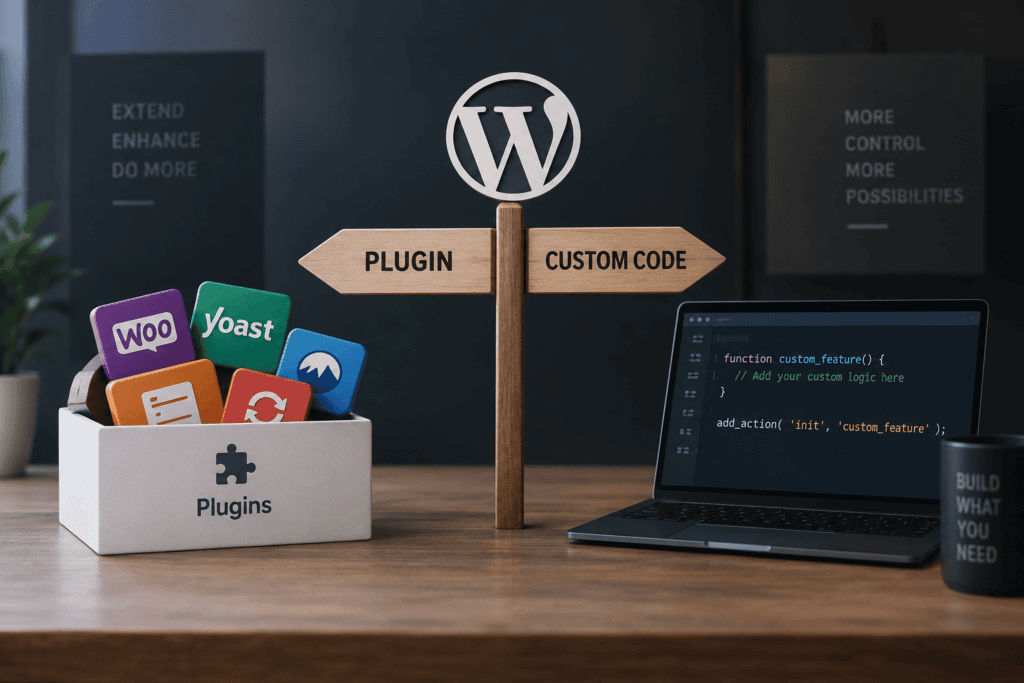
Somewhere in almost every WordPress project, the same question comes up: is there a plugin for this, or does it need to be custom-built? It sounds like a small decision, but it’s one of the choices that most affects how a site performs, how much it costs to maintain, and how painful it is to work with two years from now.
We see both mistakes regularly. Businesses that install a plugin for every new feature request until the site is running twenty-plus plugins, half of them barely used, quietly slowing everything down. And businesses that insist on custom-building something a well-maintained, battle-tested plugin already does perfectly well, paying for development time that didn’t need to be spent. Neither instinct is wrong exactly — plugins and custom code both have a real place. The skill is knowing which situation calls for which.
What Plugins Are Actually Good For
Plugins exist to solve common, well-defined problems that thousands of other sites share. SEO fundamentals, contact forms, caching, backups, basic booking calendars, image optimization, security scanning — these are needs that don’t vary much from one business to the next, which is exactly why a mature, well-maintained plugin usually handles them better than a custom build would.
The advantages are real. A popular, actively maintained plugin has typically been tested across an enormous range of setups, gets regular security patches, and stays compatible as WordPress itself updates — none of which a business wants to be responsible for maintaining internally. It’s also almost always cheaper and faster than commissioning custom development for functionality that isn’t unique to how you operate. If your business needs a standard contact form, a standard SEO setup, or standard e-commerce functionality — which, notably, WooCommerce itself provides as a plugin — reaching for an established, well-reviewed option is usually the right call, not a shortcut.
Where Plugins Start Working Against You
The trouble starts when a plugin gets used for something it wasn’t really built for, or when enough plugins accumulate that they start interfering with each other and with the site’s performance.
Plugin bloat is the most common issue we see on inherited sites. Each additional plugin adds its own scripts, styles, and database queries, and a site running far more plugins than it actually needs tends to load noticeably slower, with a meaningfully larger attack surface for security vulnerabilities. It’s rarely any single plugin’s fault — it’s the accumulated weight of installing one for every small feature request over a few years without anyone reviewing what’s actually still needed.
The bigger issue is feature-fit mismatch — forcing a generic plugin to handle something specific to how your business actually operates. We worked with a client whose pricing depended on a combination of customer type, order volume, and delivery timing. No pricing plugin handled that combination cleanly, so the previous setup involved three separate plugins wired together with custom snippets trying to bridge the gaps. It technically worked, most of the time, but every WordPress update carried real risk of quietly breaking the fragile connections between them. Replacing that stack with a single purpose-built function solved the actual pricing logic directly and removed the maintenance risk entirely.
There’s also a real cost to relying on plugins that aren’t well maintained. A plugin that hasn’t been updated in a couple of years is a growing security liability, and if the developer abandons it entirely, you’re left rebuilding that functionality eventually anyway — just under more time pressure, often after something’s already broken.
When Custom Code Is Genuinely the Better Investment
Custom code earns its cost when the need is specific to your business rather than common across the web. Unique pricing or discount logic, workflows tied to how your team actually operates, calculations or business rules that don’t match any standard plugin’s assumptions — these are the situations where trying to configure a generic plugin into submission usually costs more in workaround time than building it properly would have.
Performance-sensitive functionality is another case worth building custom. A lean, purpose-built feature that does exactly one job, with no unused settings or extra database calls, will almost always outperform a general-purpose plugin carrying functionality you don’t need. The same applies to deep integrations — connecting to an internal system, a specific CRM, or a proprietary API that no plugin was built to support — where custom development is often the only real option anyway.
It’s also worth thinking in terms of total cost over a few years, not just the upfront price. We’ve seen businesses paying for three or four plugin subscriptions, plus ongoing time spent fixing conflicts between them, to approximate one specific feature — costing more over two years than a single, stable custom build would have, while working less reliably the whole time.
A Practical Way to Actually Decide
Before defaulting to either option, a few questions tend to make the answer obvious. Is this a common, well-solved problem shared by many other websites, or something specific to how your business actually works? Is there a genuinely well-maintained plugin — actively updated, strong reviews, a track record — that does this cleanly, or would it take heavy configuration and workarounds to force it into shape? How central is this feature to revenue or daily operations, and does that level of importance justify investing in something more reliable and purpose-built? And realistically, how many plugins would need to be stacked together to hack this into existence, and how fragile would that combination be after the next WordPress or plugin update?
If the need is common and a solid plugin already exists for it, use the plugin — there’s rarely a good reason to custom-build something that’s already been solved well. If the need is specific to your business, central to how you operate, or would require bending several plugins into an unstable combination, that’s usually a sign custom code is the more reliable and, often, the cheaper long-term choice.
The Middle Ground Most Sites Actually Need
In practice, the best setups usually aren’t purely one or the other — they’re a well-chosen plugin foundation with custom code layered on top for the parts that are genuinely unique. A store doesn’t need to reinvent cart, checkout, and payment processing from scratch; WooCommerce already handles that reliably. What it might need is a small, purpose-built addition — a custom plugin handling that one specific pricing rule, a tailored integration with an internal system — built to sit cleanly alongside the standard functionality rather than replacing it.
This approach avoids two expensive mistakes at once: rebuilding solved problems from scratch, and forcing unsolved, business-specific problems into tools that were never designed for them.
Worth Auditing What You Already Have
If your site has been running for a few years, it’s worth periodically reviewing the plugin list rather than assuming everything installed is still earning its place. Look for plugins nobody remembers activating, ones providing a feature you’re paying for but not actually using, and ones that seem to break something small every time WordPress updates. Any of those are candidates either for removal or for replacement with a small, stable piece of custom code — often cheaper to build once than to keep patching around indefinitely.
There’s No Universal Rule Here
The honest answer to “plugin or custom code” is that it depends on the specific feature, not on a blanket preference for one approach over the other. Plugins are the right call far more often than not — most of what a website needs has already been solved well by the WordPress ecosystem, and there’s no reason to pay for custom development to recreate that. Custom code earns its place when the need is genuinely specific to your business, central to how you operate, or being awkwardly forced into tools that weren’t built for it.
At Infyras, this is how we approach every WordPress build — a well-maintained plugin foundation wherever one genuinely fits, and custom development reserved for the parts of a site that are actually unique to how a client’s business runs. The goal isn’t to sell more development hours or to cut corners with plugins either way; it’s a site that’s stable, fast, and built around what the business genuinely needs rather than what happened to be easiest to install at the time.
Let’s build your next project
Tell us about your idea and we'll get back within 24 hours.


Hi, I’m Pratyksh Sharma, the CEO and Founder of Infyras. Don’t hesitate to reach out to me anytime – I’m here to answer all your questions!
Your next idea Let’s make it happen.
From insights to inspiration, we create digital solutions that turn ideas into results. Have a project in mind? Let’s build something that moves your business forward.