















Emergent & Replit vs CMS web development: Which to Build On?
“I built my booking app in a weekend with AI. Why would I pay an agency for a website?” We hear this more every month.... Continue reading
Pratyksh Sharma
October 22, 2026
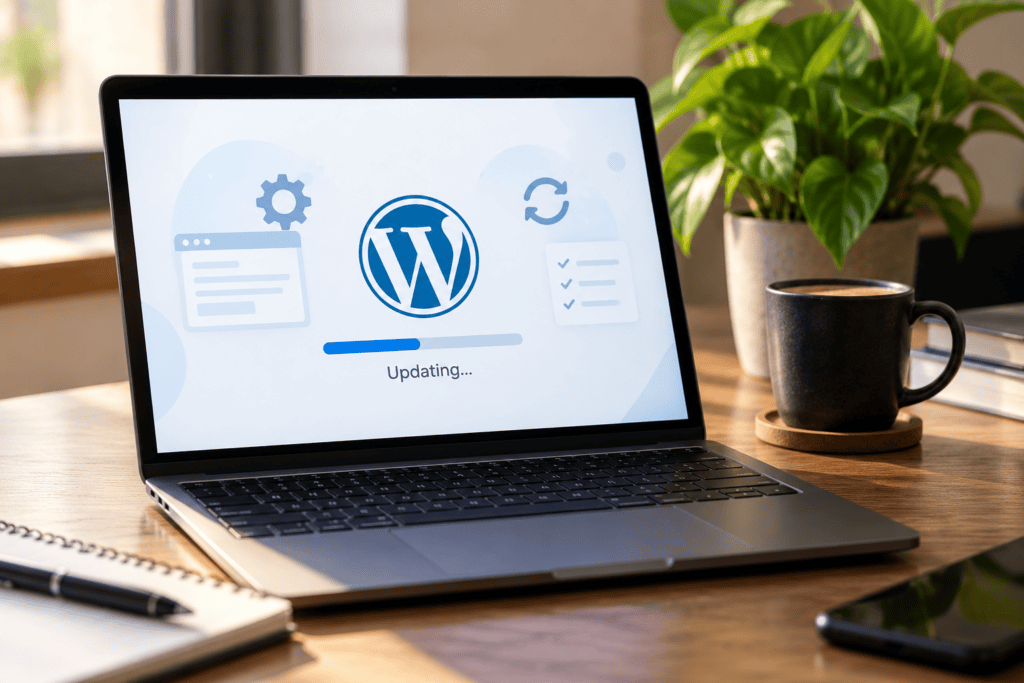
Most WordPress owners know the routine. A banner appears in the dashboard. Plugins need updating. You click the button, the banner disappears, and you feel responsible.
That click matters. But it’s only one small piece of keeping a site healthy.
Updates fix known problems. They don’t protect you when an update breaks your checkout. They don’t restore your site after a hack. They don’t tell you the site went down at 2 a.m. And they don’t clean up the database that has been growing for three years.
A WordPress site is a live system. It needs a routine around it. Here’s what that routine includes, and why each part matters.
WordPress has three layers that need updating: the core software, your theme, and your plugins. Skipping them leaves known security holes open. Most hacked sites run outdated software.
So yes, update. But updating blindly creates a new risk. A plugin update can conflict with your theme. A WordPress core update can break an older plugin. The update that was meant to protect your site can take it offline.
That’s why updates need backups behind them, a safe place to test them, and a way to confirm nothing broke afterward. The rest of this post covers those pieces.
Every site eventually has a bad day. A failed update, a hacked plugin, an accidental deletion, a server failure. A backup decides whether that day costs you ten minutes or ten weeks.
A useful backup strategy has a few features:
Retention matters too. Malware often sits quietly for days. If you only keep yesterday’s backup, you may restore the infection along with it. Keeping several weeks of copies gives you a clean point to return to.
A staging site is a private copy of your live website. You test changes there first. If something breaks, nobody sees it.
Without staging, every update is a live experiment. Your customers become the test group.
Use staging for:
For a WooCommerce store, this is especially important. A broken payment step costs real money, and you may not notice for hours.
Staging also gives your developers room to work without pressure. They can try a fix, check it, and push it live only when it’s ready.
Many owners install one security plugin and consider the job done. Real security has layers.
The basics that matter most:
Plugins cause most WordPress vulnerabilities, not WordPress core. That’s why choosing plugins carefully matters. An abandoned plugin with a known flaw is an open door, even if everything else is current.
Your WordPress database stores everything: posts, pages, settings, orders, users. It grows every day. Over time, it also collects clutter.
Common causes of database bloat:
A bloated database slows your site down, especially the admin area and WooCommerce. We’ve seen stores where cleaning old plugin data and oversized options noticeably improved load times, without touching the design at all.
Good database care includes regular cleanup, removing orphaned data, and checking the settings that load on every request. Always take a backup before you clean anything.
Without monitoring, you find out about problems from angry customers. With it, you often fix them before anyone notices.
Useful monitoring covers:
The goal is simple. Hear about problems first, and fix them while they’re small.
Updates and changes can break things in ways you can’t see at a glance. The homepage loads, so you assume everything works. Meanwhile the contact form fails and the checkout shows the wrong tax.
Testing checks the parts that make money:
Run these checks on staging before an update goes live, and again on the live site afterward. Larger sites can automate some of this with scripts that click through the critical journeys and flag failures.
This question comes up more now, so it deserves a direct answer.
AI tools can build a WordPress site quickly. They write code, generate layouts, and draft content. That’s genuinely useful, and we use AI tools ourselves.
But building a site and maintaining it are different jobs. Look at the six areas above:
AI can assist with parts of this work. It can help write a test script or explain an error log. But a site doesn’t maintain itself because AI built it. Someone still has to own the routine, make the judgment calls, and respond when an alert arrives.
One more point. A site built quickly without a clear structure can be harder to maintain later. If nobody understands why the code works, nobody can safely change it. That connects to a wider lesson: maintainable software comes from clear structure, documentation, and careful choices, not from how fast it was produced.
So the honest answer: an AI-built site can be maintained well. But the maintenance is a separate commitment, and it doesn’t come included.
Putting it together, a healthy WordPress routine runs on a rhythm:
You can do this yourself if you have the time and skills. Many businesses prefer to hand it over, because the routine only works when it actually happens, every month.
Updating WordPress is necessary. It isn’t sufficient.
A safe site has a way back when things fail, which is backups. It has a safe place to try changes, which is staging. It has layered protection, careful database upkeep, alerts that reach you first, and tests that prove the important parts still work.
At Infyras, our WordPress maintenance plan covers monthly updates and backups, so the routine runs even when you’re busy running your business. If you’re not sure what your site currently has in place, start by asking three questions. When was your last backup? Could you restore it? And who would notice if your site went down tonight?
If those answers are unclear, that’s the place to start.
Tell us about your idea and we'll get back within 24 hours.

Hi, I’m Pratyksh Sharma, the CEO and Founder of Infyras. Don’t hesitate to reach out to me anytime – I’m here to answer all your questions!
Business Solution
12 November, 2026
“I built my booking app in a weekend with AI. Why would I pay an agency for a website?” We hear this more every month.... Continue reading
Business Solution
01 October, 2026
“We just need a currency switcher and a translation plugin.” That’s how most multi-currency, multi-language WooCommerce projects start. It sounds like an afternoon of plugin... Continue reading

Business Solution
21 September, 2026
Accessibility tends to get introduced to business owners as a legal risk — a fine to avoid, a lawsuit to dodge, a checkbox on a... Continue reading
From insights to inspiration, we create digital solutions that turn ideas into results. Have a project in mind? Let’s build something that moves your business forward.